


Solitaire Classic
4.7122.00 Reviews
App Specs
- Version
- 1.2.5
- Updated On
- License
- Free
- Downloads
- 500,000+
- Developer
- Lynn Mobile Puzzle Games
- Categories
- Card
- Platform
- Android
Screenshots
 Analysis by AppCompare
When I want a quiet game that fits between errands or gives my hands something to do while I wait, I tend to reach for Solitaire Classic. Its central appeal is the familiar card puzzle: I can focus on arranging a deal without having to learn a complicated set of rules first. That makes it easy to start, though the real enjoyment comes from deciding how patiently to work through each round rather than tapping through it on autopilot.
A familiar card puzzle, with room to make your own choices
At its heart, this is a classic solitaire card game, and the straightforward format is a strength. I can settle into a round quickly, then choose whether I want to take a careful approach or simply see where the cards lead. The app also offers a Summer Event, giving the familiar card play a seasonal angle. I see that as a bit of extra atmosphere rather than a reason to expect a different kind of game: the core appeal remains the steady, one-deal-at-a-time puzzle.
That focus makes it a sensible option when I have a few spare minutes and want something more absorbing than scrolling, but not something that demands a long commitment. A short session can end when I need to put my phone away; a longer one can turn into a run of deals. I would not choose it for a fast-paced contest or a story-led adventure, but that is not what this style of solitaire is trying to be.
What a round feels like in everyday use
I find the best way to enjoy a deal is to pause before moving a card, especially when more than one move looks tempting. A move can uncover a useful card, but it can also use up an opportunity elsewhere, so a little thought often matters more than speed. The practical lesson is simple: scan the available cards and consider whether a move opens up the layout before making it. That keeps the game engaging even when the rules are familiar.
The hints and undo options are useful in different ways. A hint can help when I have lost track of the available choices, while undo lets me inspect the result of a move and back out if it was a poor decision. I treat them as learning tools, not as a button to press after every turn. If I use them sparingly, I stay involved in the puzzle and gradually get better at spotting promising moves on my own.
For a realistic everyday example, I might open a deal while waiting for a coffee order, make a few considered moves, then leave it when my turn comes. That stop-and-start rhythm suits a mobile card game well. The important trade-off is that a deal may not provide a neat conclusion during a very short break, so I would not count on every session ending with a win or a completed board.
Getting to Know Solitaire Classic
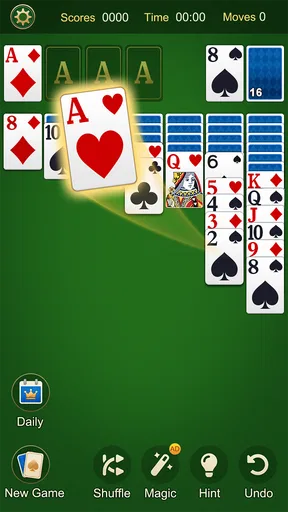
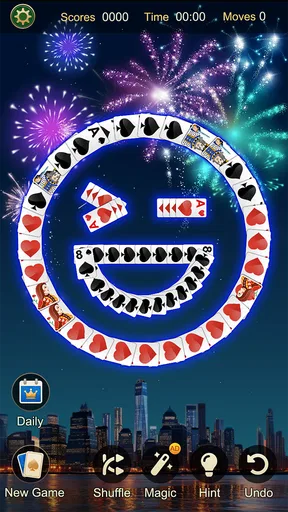
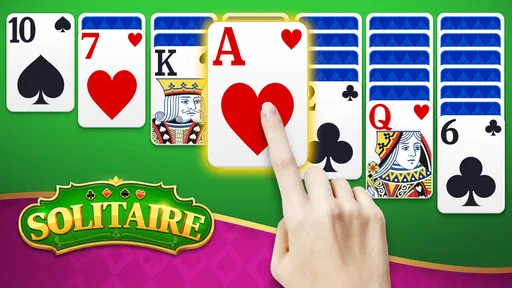
First things first, the app is super easy to download and install, whether you’re on Android or iOS. Once you open it, you're greeted with a clean, user-friendly interface that’s easy on the eyes. The classic green felt backdrop is there, giving you that authentic card table vibe. Solitaire Classic stays true to its roots, offering the familiar gameplay we all know and love.
Worth Reading Before You Choose

EA SPORTS FC Mobile 26 Is a Bigger Football Game, but It Takes Time

Flipboard Shows What News Apps Must Do Beyond the Feed

Switching to Android Auto Means Rethinking Your Driving Routine

Google Calendar Makes a Crowded Week Easier to Manage

Ludo King Makes the Most of the Minutes Between Plans

Baby Panda World Brings Quick Play to Modern Phones, but Its Game Library Feels Busy
Features That Stand Out
One of the best things about this app is its simplicity. You won't find any unnecessary frills here. The focus is purely on the game itself. But that doesn’t mean it’s lacking in features. Here’s what you can expect:
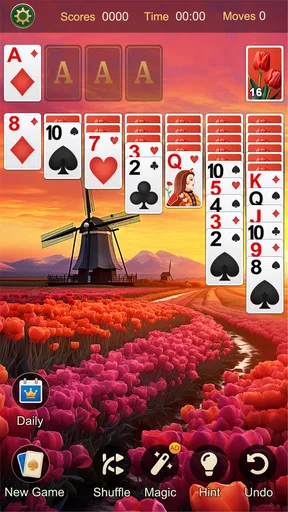
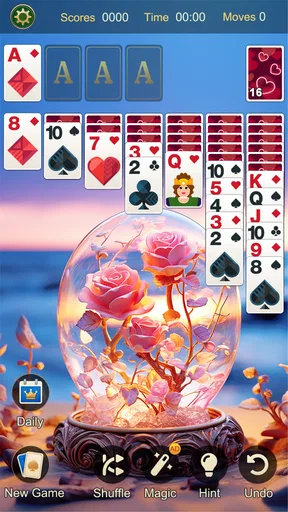
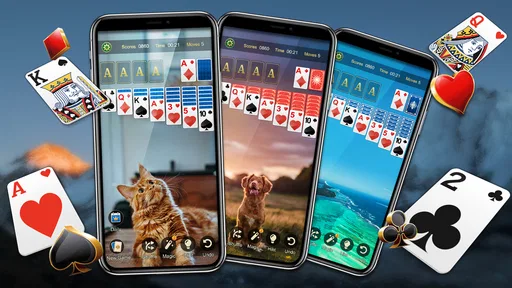
- Customizable Card Decks: Choose from a variety of card designs to suit your style. Whether you like a modern look or something more vintage, there’s something for everyone.
- Multiple Scoring Options: You can play with standard or Vegas scoring. Choose your challenge level and dive in!
- Hints and Undo: Stuck on a tricky move? Use the hint button for a nudge in the right direction. And if you make a mistake, the undo feature is a lifesaver.
These features make the game accessible for both newbies and seasoned pros. You can play at your own pace, whether you’re solving a quick puzzle during a coffee break or settling in for a longer session at home.
Why I Keep Coming Back
So, why do I keep playing Solitaire Classic? Simple: it’s the perfect blend of relaxation and challenge. The game is familiar, yet each round feels fresh. It’s a great way to unwind after a hectic day, plus it gives my brain a little workout. The satisfaction of sorting all the cards into neat little piles is oddly fulfilling!
Another thing I appreciate is how the app keeps track of my statistics. I can see how my skills have improved over time, which is a nice touch for those of us who like to compete against ourselves. Plus, the app runs smoothly without any annoying glitches or crashes. It’s reliable, and that’s something I value in a mobile game.
How it compares with other card games
Compared with trick-taking card games, multiplayer matches, or deck-building titles, this one asks less of my attention in bursts but gives me more room to think through a single layout. That makes it a better fit for a quiet solo break than for playing with friends or chasing a competitive ranking. If I want social interaction, changing goals from match to match, or a broader strategic system, I would pick a different card game. If I want a familiar puzzle I can return to without a learning curve, this is the more comfortable choice.
The scoring choices give the same basic solitaire experience a slightly different emphasis. Standard scoring feels natural when I want to focus on completing a deal, while Vegas scoring is there when I want a more goal-driven session. I would choose one before I start rather than switch casually mid-session, so I can judge my progress by the same measure throughout a run. Players who do not care about scoring can simply treat it as a personal preference and concentrate on the cards.
Small habits that make sessions better
When I am playing in short bursts, I try to make one deliberate move at a time instead of tapping quickly just to see what happens. If a hint points me toward a possibility, I still check whether another move could uncover a card or preserve a better option. Undo is especially helpful for testing a decision, but leaning on it constantly can turn the puzzle into trial and error rather than a game of observation. Those little habits make the familiar format feel more thoughtful without adding extra rules.
For a longer session at home, I like changing the card design if I want the table to feel a little less repetitive, then sticking with one scoring style for several deals. That is a modest way to keep the experience fresh without expecting a new mode every time I open the app. The Summer Event may add a seasonal reason to return, but the lasting value for me still comes from the core card challenge and the freedom to play at my own pace.
Who should play, and what to expect
I would recommend it most to people who already enjoy solitaire, anyone learning the basic rhythm of the game, and players who want a low-pressure activity that can be paused around daily life. The Everyone age rating makes it broadly approachable, and it is free to start. The game is from Lynn Mobile Puzzle Games; it has a 4.9 average from around 1.6 thousand ratings and more than 500 thousand installs. It was released on April 22, 2024, and version 1.2.4 supports Android 6.0 or later. Optional in-app purchases range from $0.99 to $29.99 per item, so I would check purchase prompts carefully if I prefer to keep a free game free.
I would skip it if I need every deal to be winnable, want a highly social experience, or prefer games with frequent changes to their mechanics. Solitaire depends on patience and a willingness to accept that a round may not resolve as hoped; even a well-considered move cannot guarantee a satisfying finish. Likewise, people who find repeated card layouts dull may get more from a varied puzzle game. This is a focused choice, not an all-purpose card collection.
A Few Final Thoughts
If you’re looking for a no-fuss, entertaining game to pass the time, Solitaire Classic should be on your radar. It brings the timeless card game to your smartphone with elegance and simplicity. Whether you’re a solitaire aficionado or a casual player, this app is sure to keep you entertained.
In the end, it’s all about enjoying the game at your own rhythm. Grab it from the app store, and you’ll have the perfect companion for those dull moments. Trust me, once you start playing, you might find it hard to stop!
Pros
- Simple
- intuitive interface
- Offline play available
- Free to download and play
- Minimal ads enhance experience
- Smooth animations
Cons
- Limited customization options
- No multiplayer mode
- Occasional in-app ad interruptions
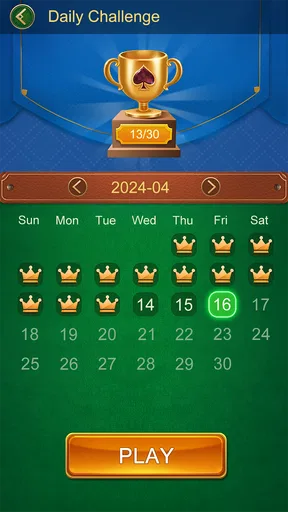
- Lacks daily challenges
- No hints for beginners
FAQs for Solitaire Classic
What is Solitaire Classic, and how does it differ from other solitaire games?
Solitaire Classic is a digital version of the traditional card game that many are familiar with. It stays true to the original rules, offering a simple and enjoyable gaming experience without unnecessary frills. Unlike other versions, Solitaire Classic focuses on an authentic gameplay experience with a clean and intuitive interface, making it perfect for both beginners and seasoned players.
Is Solitaire Classic free to play, and are there any in-app purchases?
Yes, Solitaire Classic is free to download and play. However, it may contain in-app purchases that allow users to enhance their gaming experience. These purchases might include features like ad removal, new card designs, or game hints. Users can still enjoy the game fully without spending any money, as these purchases are optional.
Does Solitaire Classic require an internet connection to play?
No, Solitaire Classic does not require an internet connection for basic gameplay. This makes it a great option for entertainment during travel or in areas with limited connectivity. However, some features, like leaderboards or updates, might need a connection to function properly, but the core game remains accessible offline.
What platforms is Solitaire Classic available on, and is it compatible with all devices?
Solitaire Classic is available on both Android and iOS platforms. It is designed to be compatible with a wide range of devices, including smartphones and tablets. The game is optimized to function smoothly across different device specifications, ensuring a pleasant gaming experience whether you are using an older model or the latest device.
Are there any ads in Solitaire Classic, and how intrusive are they?
Yes, Solitaire Classic does include ads, as this helps keep the game free for users. The ads are generally not overly intrusive, appearing at the end of a game or in between rounds. Players have the option to remove ads through a small one-time purchase if they prefer an uninterrupted gaming experience.


